 Sleep Deeper
Fall asleep faster. Sleep deeper.
Mix rain, ocean and brown noise, play gentle night piano, drift off to a bedtime story — then see how you slept with a simple sleep tracker that works with Apple Health.
One app for your whole bedtime
Relax, wind down and fall asleep — then wake up and see how you did.
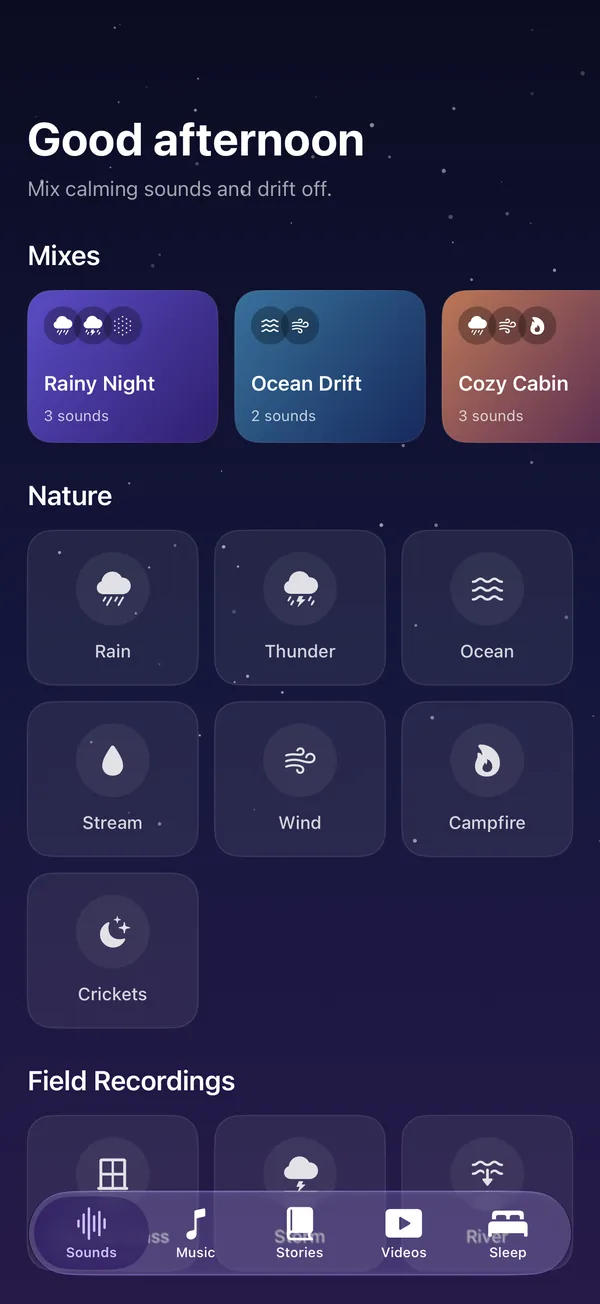
Sleep sounds & white noise
15 sounds — rain, thunder, ocean, stream, campfire, fan, white, pink and brown noise — that you can layer into your own mix.
Explore sounds →Sleep tracker
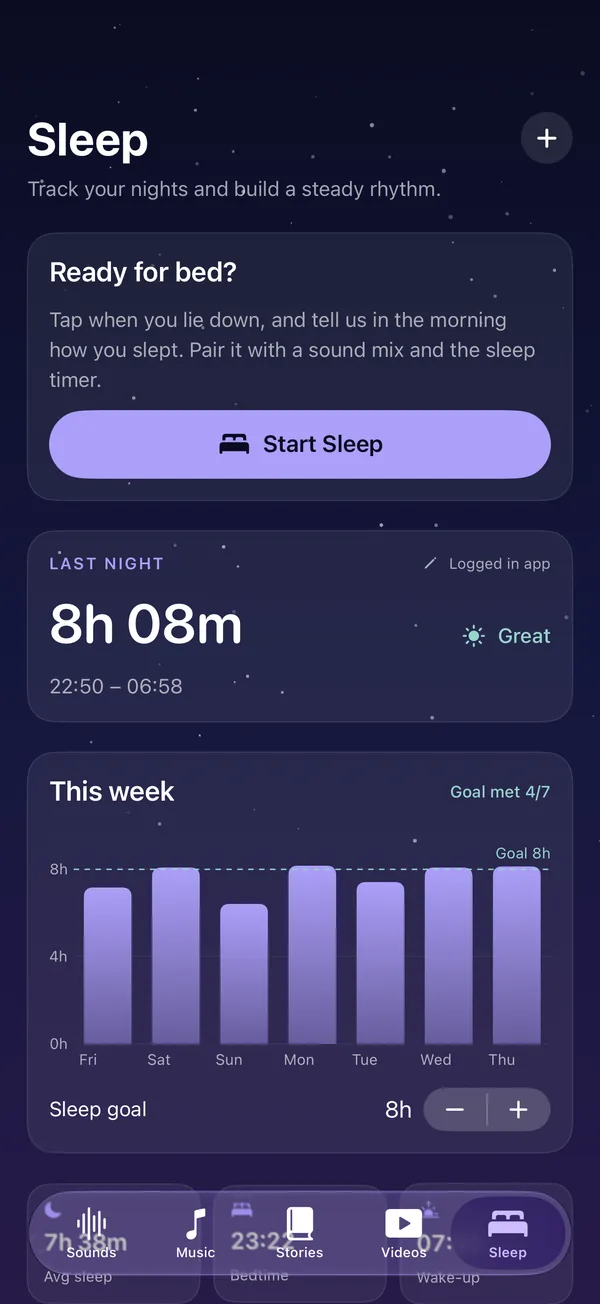
Log your nights, set a sleep goal, see your weekly chart and average bedtime. Imports sleep from Apple Health.
Track your sleep →Bedtime stories & podcasts
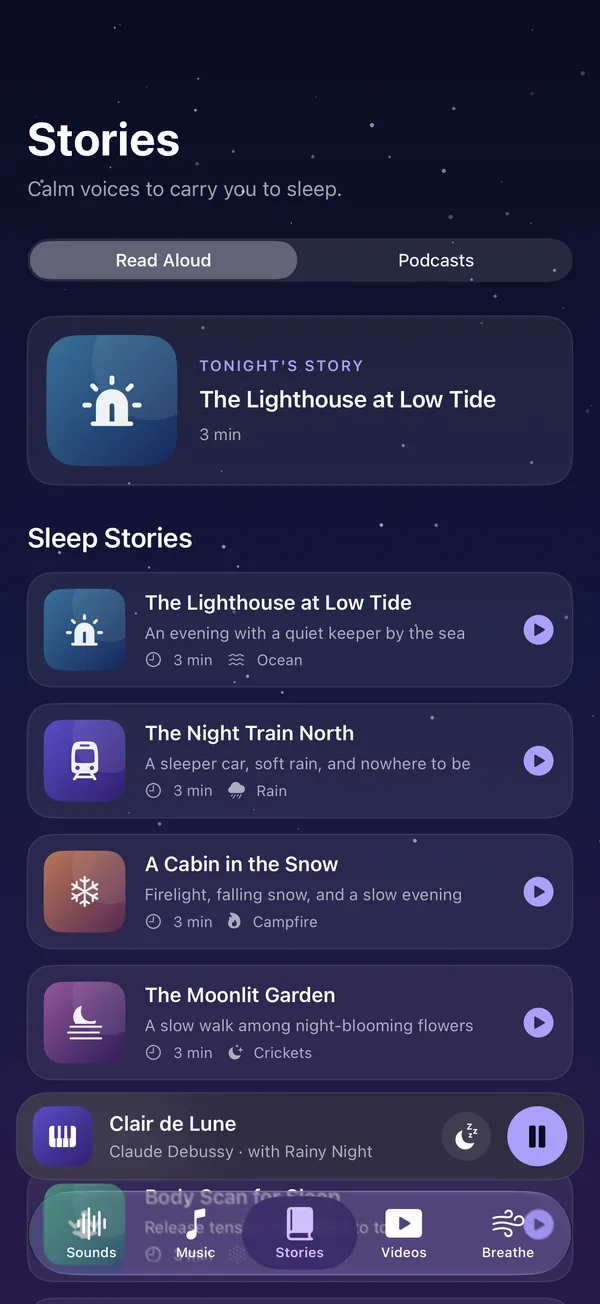
Calm, original stories read aloud, plus free sleep podcasts streamed right inside the app.
Browse stories →Sleep music
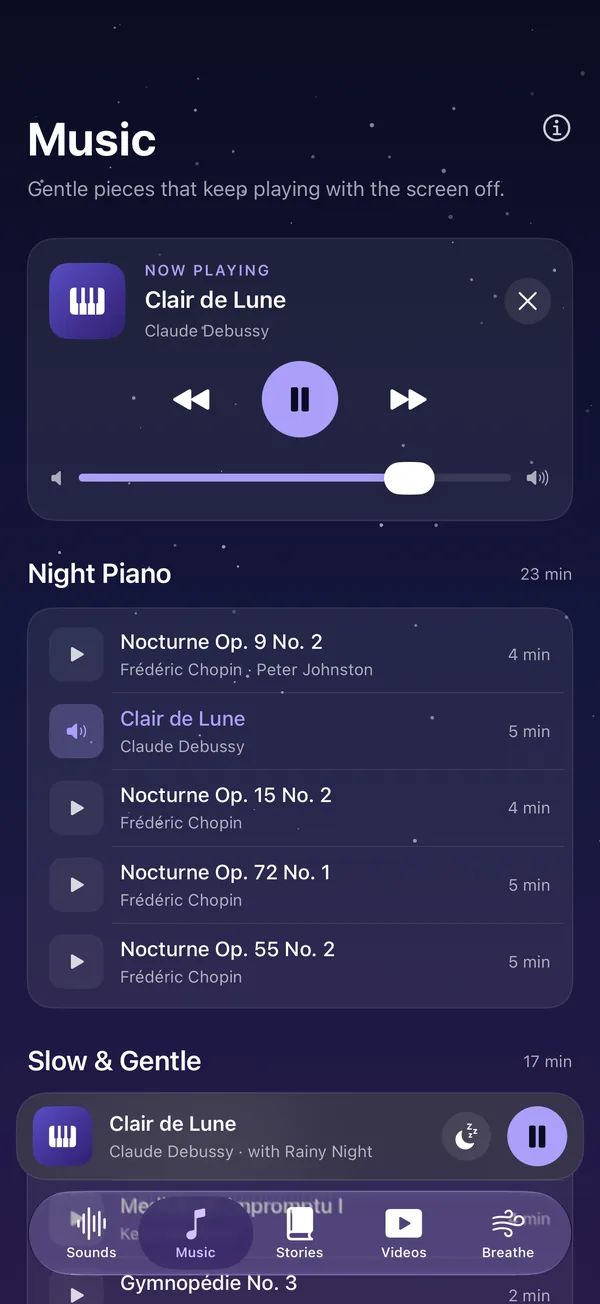
Night piano from Chopin, Debussy and Satie, plus slow ambient pieces made for drifting off.
Listen →Breathing exercises
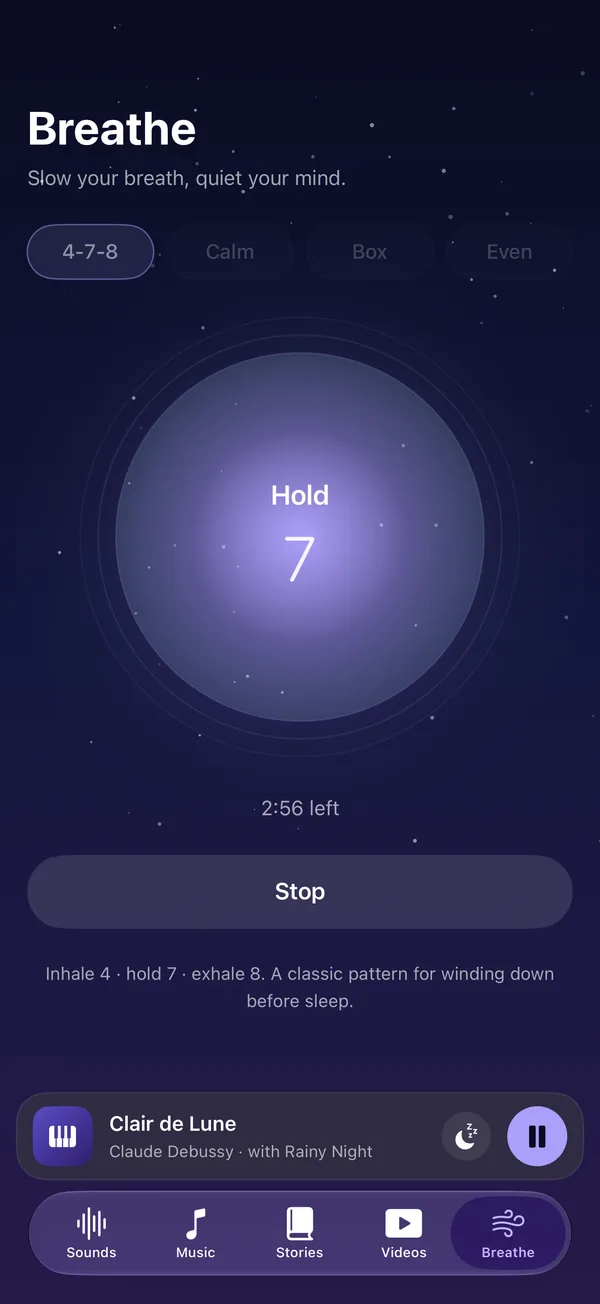
Guided 4-7-8, box, calm and even breathing with a soft animated circle to follow.
Start breathing →Sleep timer
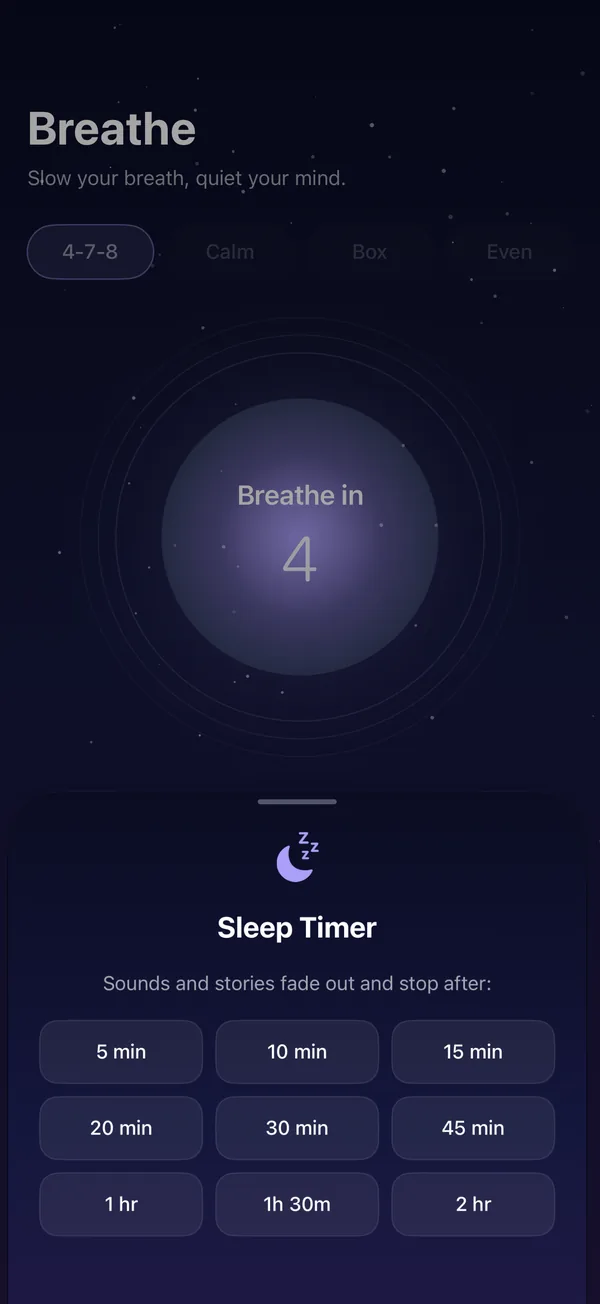
Choose 5 minutes to 2 hours. Everything fades out gently so nothing wakes you up.
Build the soundscape that puts you to sleep
Some people need rain on the window. Others need the hum of a fan. Layer any sounds you like, set each volume, and save it as your own mix.
- Nature: rain, thunder, ocean, stream, wind, campfire, crickets
- Field recordings: rain on glass, storm, river
- Noise & tones: fan, white, pink and brown noise, deep hum
- Ready-made mixes: Rainy Night, Ocean Drift, Cozy Cabin, Forest Stream, Deep Calm, Fan Room
See how you really slept
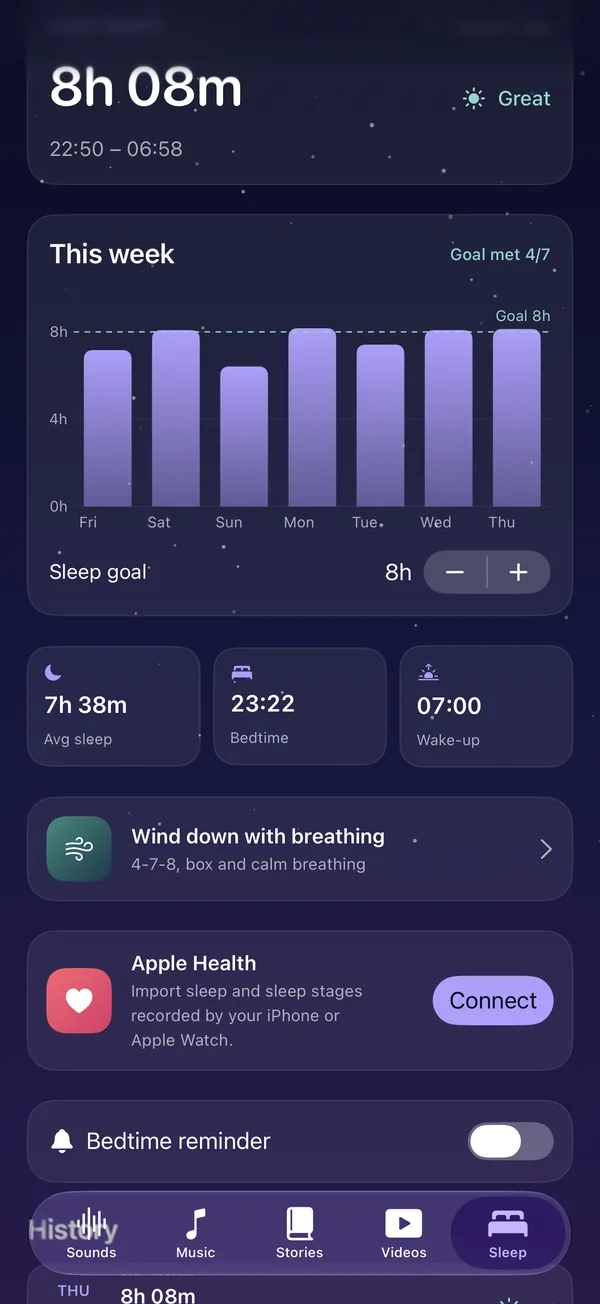
A sleep tracker that stays out of your way. One tap at bedtime, one tap in the morning — or let Apple Health fill it in for you.
- Last night at a glance: time asleep, bedtime, wake-up and how you felt
- Weekly chart with your sleep goal and nights you hit it
- Apple Health sync with REM, core and deep sleep from Apple Watch
- Bedtime reminder to start winding down on time
Take a look around
Your new bedtime routine
Wind down
Two or three minutes of 4-7-8 breathing slows everything down and tells your body it's time to rest.
Press play
Pick a sound mix, a piano playlist or a bedtime story, set the sleep timer, and put your phone face down.
Wake up & check in
Tap I'm awake, rate your night, and watch your weekly sleep chart build up over time.
Private by design
No account, no ads, no tracking. Your sleep log never leaves your iPhone.
Plays all night
Audio keeps going with the screen locked, with Lock Screen controls.
Made for calm
A dark, quiet interface that's easy on the eyes at night.
Questions
Is Sleep Deeper free?
Yes. Sleep Deeper is free to download on the App Store, with no account or sign-up needed. Sounds, music, stories, breathing and the sleep tracker are all included.
Does audio keep playing when my iPhone is locked?
Yes. Sleep sounds, white noise, music, stories and podcasts keep playing in the background with the screen off, and you can control them from the Lock Screen.
Can I mix my own sleep sounds?
Yes. Turn on as many sounds as you like — rain, thunder, ocean, fan, brown noise and more — set each volume, and save the mix to reuse every night.
How does the sleep tracker work?
Tap Start Sleep when you lie down and I'm awake in the morning, or add a night by hand. If you allow it, Sleep Deeper can also read your sleep from Apple Health (including Apple Watch sleep stages) to show your weekly chart and averages.
Is my data private?
Yes. Sleep Deeper has no accounts, ads or tracking — only anonymous usage statistics that never include Apple Health data. Your sleep log stays on your iPhone, and Apple Health data is only read on your device — it is never uploaded. See our privacy policy.
Which iPhones are supported?
Sleep Deeper works on iPhone with iOS 17 or later.
Sleep better, starting tonight
Sleep Deeper is free on the App Store for iPhone. No account, no sign-up — just open it and press play.
Download on theApp Store